
Equal parts: no short leftover at the end
Normally the last part is whatever is left over. With Equal parts all parts come out the same length.
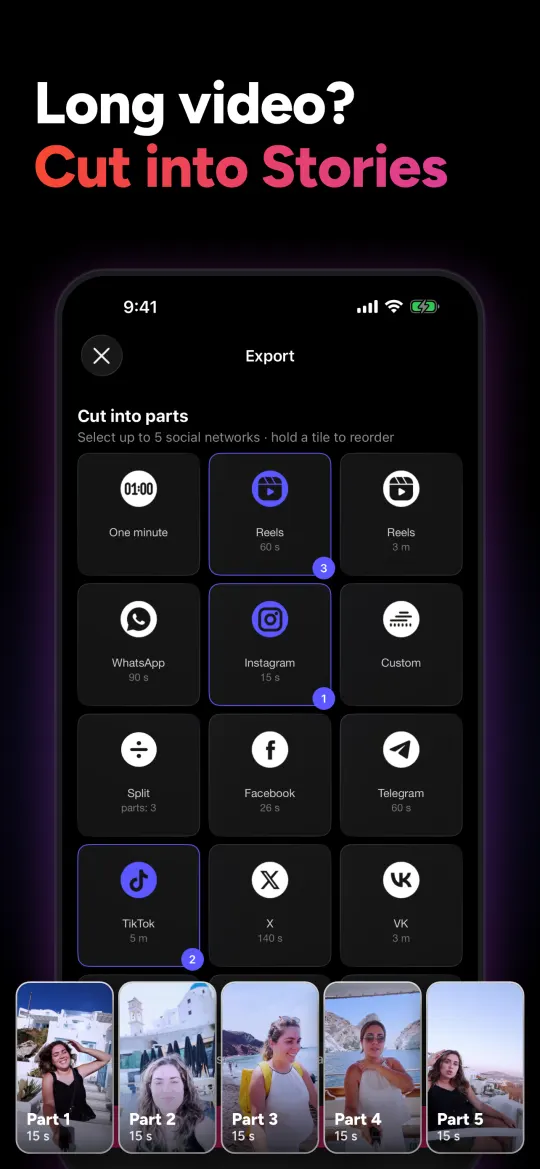
Where to find it: Editor → Save → «Equal parts»; also in Quick Cut
Step by step
1 Open the save screen
Finish the edit and tap Save, or start Quick Cut on the Home screen.
2 Choose a network
Pick the network or set your own length.
3 Turn on «Equal parts»
The video is split into equal parts, each no longer than the length chosen for the network.
4 Save
This way there’s no short leftover at the end. If you need parts exactly as long as the preset — say, 15 seconds for Stories — keep it off.
Tips
- You can turn on «At pauses» at the same time, so the cuts also land on pauses in speech.
Related guides
Export & cuttingSave a video as ready-made storiesQuick CutSplit a long video into clips in secondsCut at pauses: no part ends mid-wordFor talking videos: the cut between two parts moves to the nearest pause in speech.Your own part length or number of partsPresets cover the popular networks. For everything else there are two tiles on the save…
Checked on CutStory 8.8.1, 2026-11-24. Still stuck? Write to us in Telegram or at support@highglossy.com.