
Your own part length or number of parts
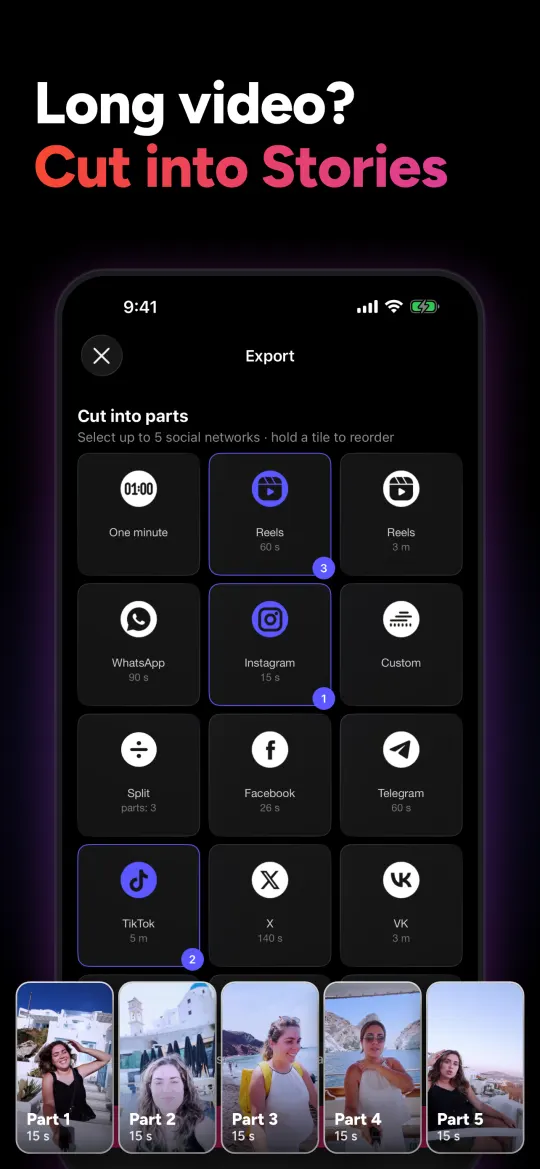
Presets cover the popular networks. For everything else there are two tiles on the save screen.
Where to find it: Editor → Save → «Custom length» or «Split»
Step by step
1 Open the save screen
Tap Save in the editor or start Quick Cut.
2 Tap «Custom length» for a length
Move the slider from 1 second to 10 minutes or tap a quick pick: 0:15, 0:30, 1:00 or 1:30. The value snaps to round numbers.
3 Or tap «Split» for a count
Answer «How many parts?» — the video is split into that many parts.
4 Save
The parts go to the Camera Roll in order, numbered.
Tips
- The tiles can be rearranged: hold a tile to reorder.
- Need the whole video in one file? Choose «Without cutting».
Related guides
Export & cuttingSave a video as ready-made storiesQuick CutSplit a long video into clips in secondsEqual parts: no short leftover at the endNormally the last part is whatever is left over. With Equal parts all parts come out the…
Checked on CutStory 8.8.1, 2026-11-24. Still stuck? Write to us in Telegram or at support@highglossy.com.