
AI Music Templates: how to use it in CutStory
Your media in a ready-made music edit.
Where to find it: Home → AI Music Templates
Step by step
1 Ready-made videos set to music
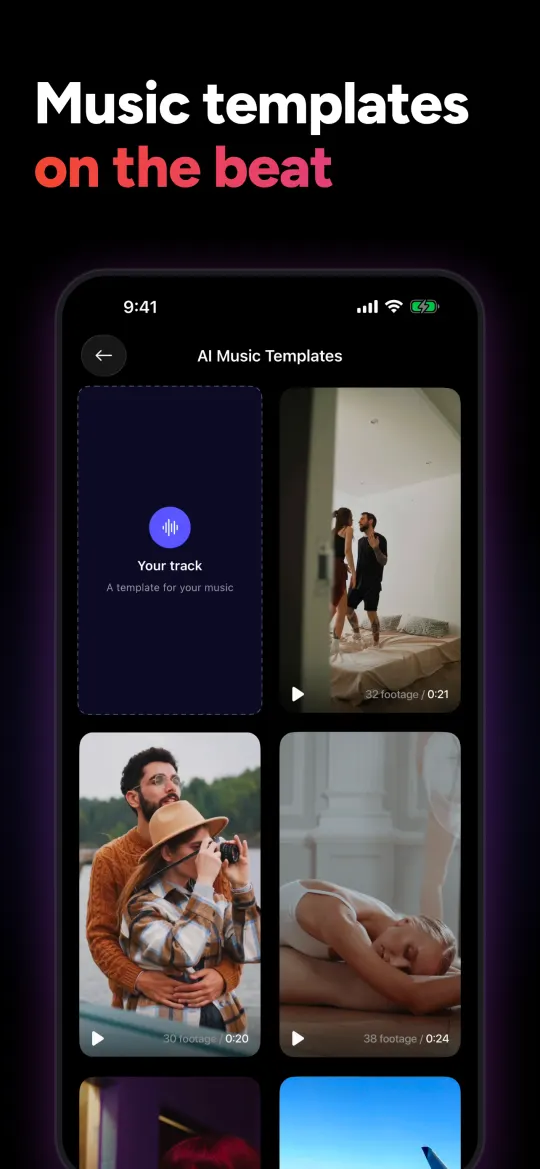
Pick a music template — the track, the cuts and the transitions are already on beat.
2 Hear it, see it swipe the feed
Every template is a live preview with its own track — swipe to find the music that fits your vibe.
3 Add your clips and photos
The app lays your media out across the scenes — each one lands on its own beat.
4 Ready to share in minutes
Export the video with the music locked in and share it anywhere.
Tips
- Swipe the feed with sound on — each template plays its own track.
Related guides
Basic TemplatesA video in a couple of tapsYour trackCut to the beat of your own trackMy TemplatesSave an edit and reuse it
Checked on CutStory 8.8.1, 2026-11-24. Still stuck? Write to us in Telegram or at support@highglossy.com.