
AI assistant: how to use it in CutStory
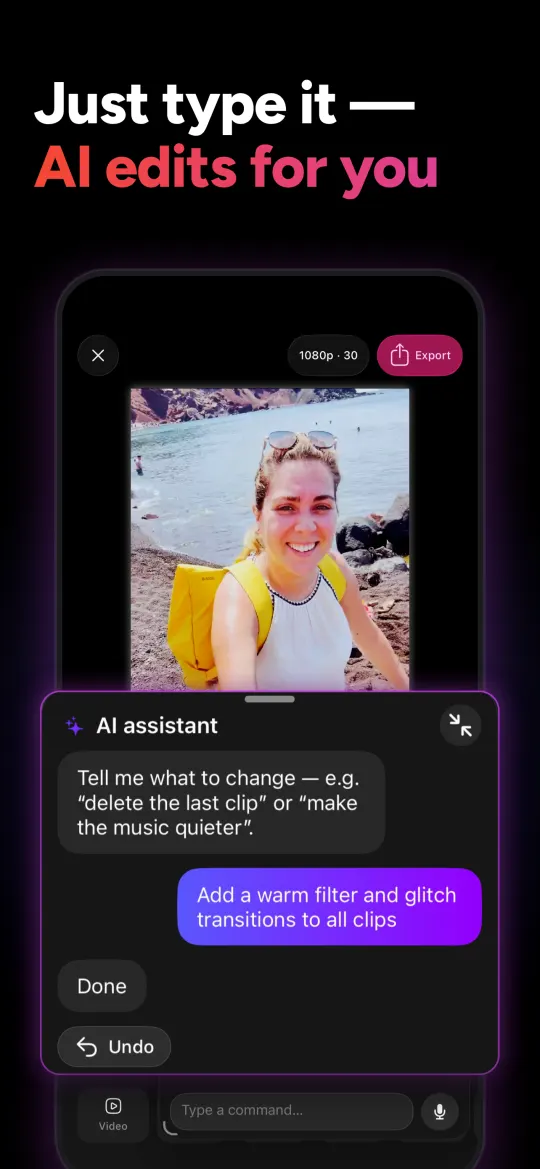
Edit with voice or text commands.
Where to find it: Editor → the sparkle button in the bottom-right corner
Step by step
1 AI assistant right in the editor
The sparkle button next to the timeline — just ask, and the editing gets done for you.
2 Say it out loud or type it
Tap the mic and speak in plain words — or send your request as text.
3 It understands editing commands
Subtitles, music, transitions, TikTok format, watermark — dozens of editor actions.
4 Several actions from a single request
The assistant runs a chain of steps and reports what it did. If it can't do something, it says so.
5 Give it a try right now
Open a project and tap the assistant button in the bottom-right corner of the editor.
Tips
- Ask for several things in one request — the assistant runs them one after another.
Related guides
Quick CutSplit a long video into clips in secondsExport & cuttingSave a video as ready-made storiesSubtitlesAuto-recognized captions for your video
Checked on CutStory 8.8.1, 2026-11-24. Still stuck? Write to us in Telegram or at support@highglossy.com.