
How to split a video for LinkedIn
The LinkedIn preset in CutStory cuts a video into parts of 10:00. The parts are numbered and saved to the Camera Roll in order, ready to post.
Step by step
Open CutStory and tap Quick Cut on the Home screen, or open the video in Photos and tap Share → Quick Cut in CutStory.
Choose LinkedIn in the list — the part length is 10:00. Select other networks too if you need sets for them.
Tap Save. The parts land in the Camera Roll in order, with numbers.
Post them to LinkedIn one after another, starting with part 1.
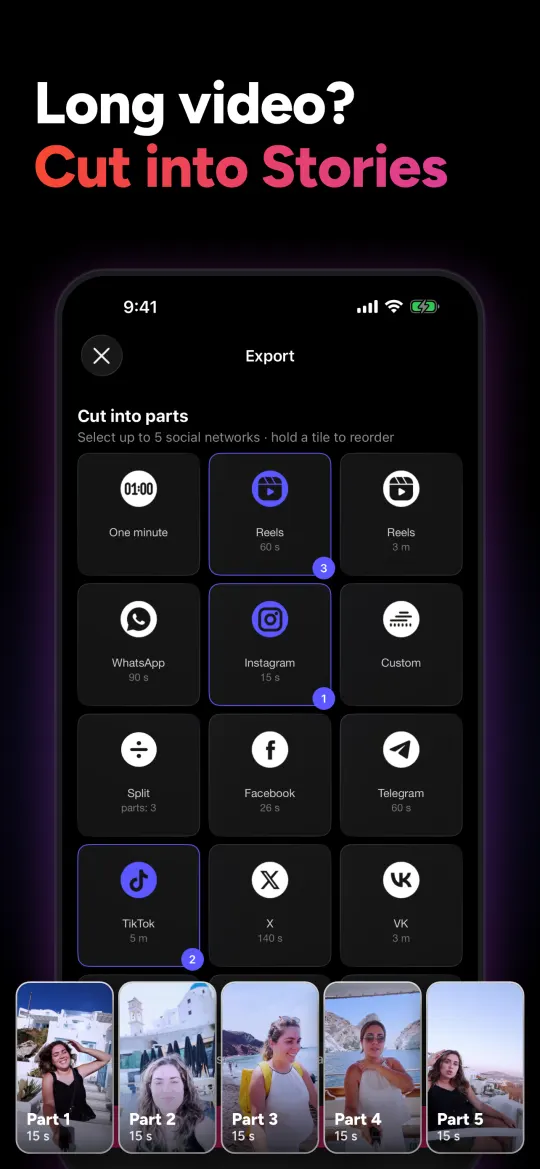
Frequently asked questions
How many parts will I get?
With 10:00 parts, a 1-minute video makes 1, a 3-minute video 1 and a 10-minute video 1. The last part is shorter if the video does not divide evenly.
Can a part cut a word in half?
Turn on At pauses when saving: each cut moves to the nearest pause in speech.
What if LinkedIn allows a different length for me?
Choose Custom length and set any length from 1 second to 10 minutes.
10:00 is CutStory's preset for LinkedIn in version 8.8.1, checked on 2026-11-24. Networks change their limits; if yours differs, set your own length.
Other networks
Instagram 0:15Facebook 0:26WhatsApp 1:30Reels 1:00TikTok 5:00Telegram 1:00X 2:20VK 3:00Snapchat 5:00WeChat 5:00YouTube Shorts 1:00Pinterest 5:00Rumble 1:30Kick 1:00Threads 5:00